Studio
Studio is the place to create blocks and quilts and return to saved designs. It offers previews of quilt templates, quilts and blocks, with access to their galleries. While Home emphasizes continuing your latest work, Studio brings together options for your next project.
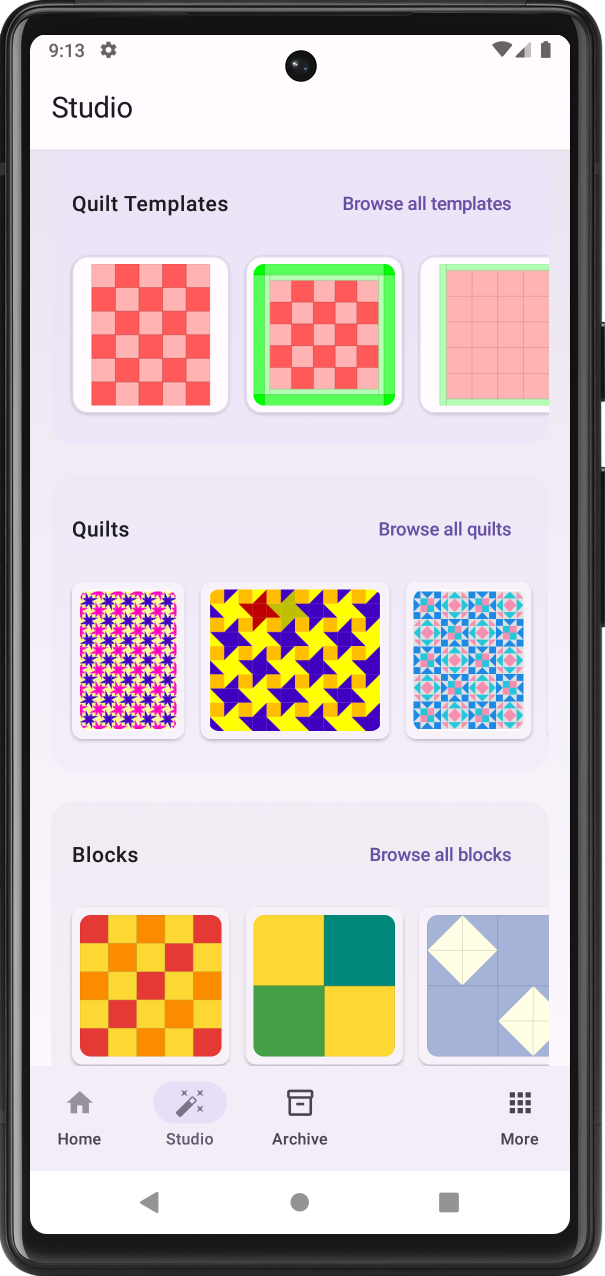
Previews and galleries
Each row offers a selection of designs. Swipe sideways for more previews, or use the link in the section header to open the full list.
Quilt templates
Templates are prepared layouts for a new quilt. Tap a preview to start a new design based on that template. This does not overwrite the original template; save your new quilt in the editor when you are ready.
Browse all templates opens the template gallery, where you can narrow down the selection with filters. Studio previews show templates available with your current access; some templates in the full gallery may require Premium. The row is hidden if no templates are available.
Quilts
This row contains your most recently edited quilts. If you do not have many of your own yet, sample designs may fill out the selection for inspiration.
Tap one of your quilts to continue editing it. This opens the original design, not a new copy. Browse all quilts opens the quilt gallery, where you can find more designs and actions for working with them.
Blocks
The blocks row combines your recent blocks with a selection of prepared blocks. Tap one of your blocks to continue editing it. Browse all blocks opens the block gallery.
Create a new design
In Create, choose how you want to begin.
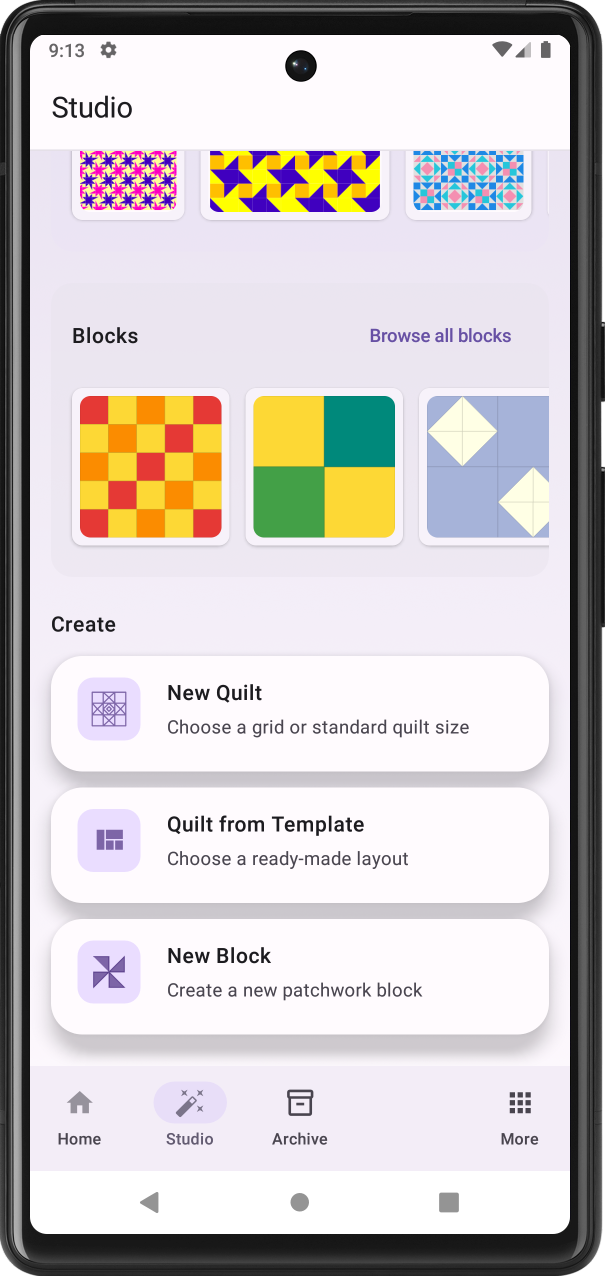
| Action | What happens next |
|---|---|
| New Quilt | Choose the dimensions and grid for a new quilt. |
| Quilt from Template | Open the template gallery and choose a prepared layout. |
| New Block | Choose a grid in the editor and start drawing your block. |
Not sure whether to start with a block or a quilt? See the basic concepts in the help introduction.
Start a new design compares the starting options and their next steps.
Your quilt as a starting design
A saved quilt of your own can also be a starting point for future designs, such as a favorite layout with borders. It stays among your quilts and does not need to be listed in the template gallery.
To preserve this starting design, first make an editable copy in the quilt gallery. Simply opening your quilt in Studio does not create a copy. See Quilt templates and your own starting designs for the steps and explanation.
On phones and tablets
On a phone, Studio sections are stacked vertically. On a tablet, their arrangement adapts to the larger space and device orientation. Scroll vertically to reach more sections, and swipe individual rows sideways for more previews.